Chess - The Immortal Game2.2.2
Publisher Description
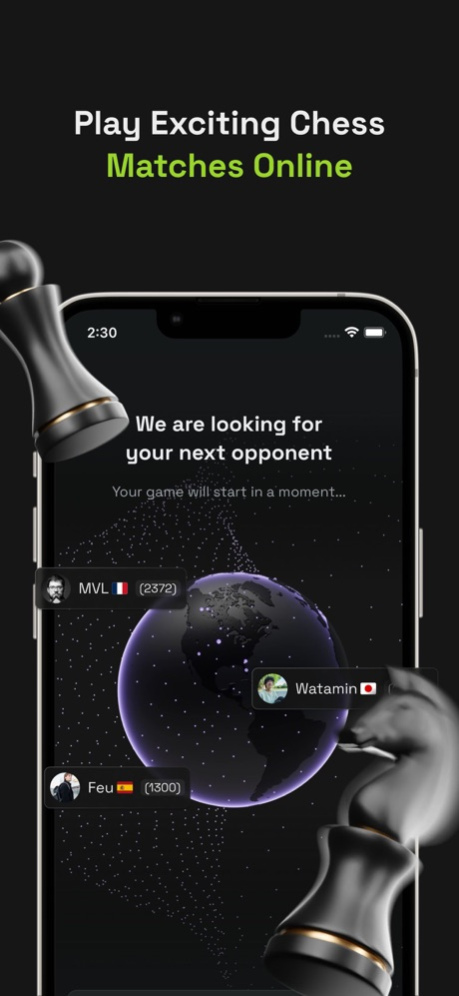

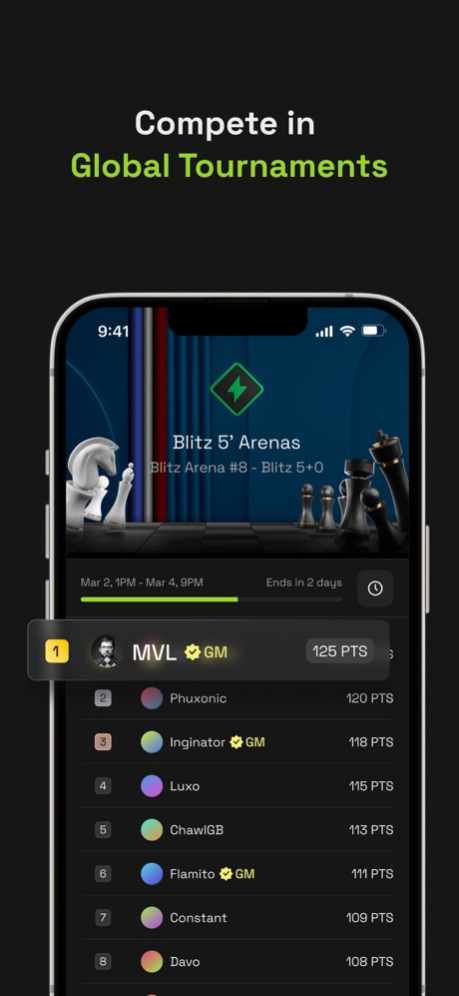

Immerse yourself in the world of strategy with our top-rated online game, featuring puzzles, challenges, and global competition! Known worldwide as Chess, Ajedrez, Xadrez, Satranç, Scacchi, Schach, Șah, Šachy, Şahmat, this game is free and accessible for all ages.
Experience limitless 3D chess games and enhance your skills with over 1 million+ tactical puzzles played so far. Learn from the masters in our weekly tournaments and elevate your game.
FREE ONLINE CHESS FEATURES:
- Engage in friendly matches in our 2-player mode
- Connect with friends and meet new people on our Discord
- Compete in tournaments with players worldwide
- Discover a fresh take on chess with our Immortal Quest mode
- Train and play against innovative AI opponents
Apr 2, 2024
Version 2.2.2
Make app compliant with new Apple privacy requirements.
About Chess - The Immortal Game
The company that develops Chess - The Immortal Game is Immortal Game. The latest version released by its developer is 2.2.2.
To install Chess - The Immortal Game on your iOS device, just click the green Continue To App button above to start the installation process. The app is listed on our website since 2024-04-02 and was downloaded 1 times. We have already checked if the download link is safe, however for your own protection we recommend that you scan the downloaded app with your antivirus. Your antivirus may detect the Chess - The Immortal Game as malware if the download link is broken.
How to install Chess - The Immortal Game on your iOS device:
- Click on the Continue To App button on our website. This will redirect you to the App Store.
- Once the Chess - The Immortal Game is shown in the iTunes listing of your iOS device, you can start its download and installation. Tap on the GET button to the right of the app to start downloading it.
- If you are not logged-in the iOS appstore app, you'll be prompted for your your Apple ID and/or password.
- After Chess - The Immortal Game is downloaded, you'll see an INSTALL button to the right. Tap on it to start the actual installation of the iOS app.
- Once installation is finished you can tap on the OPEN button to start it. Its icon will also be added to your device home screen.
Program Details
System requirements
Download information
Pricing
Version History
version 2.2.2
posted on 2024-04-02
Apr 2, 2024
Version 2.2.2
Make app compliant with new Apple privacy requirements.
version 2.2.1
posted on 2024-03-26
Mar 26, 2024
Version 2.2.1
Minor UX improvements and bug fixes.
version 2.2.0
posted on 2024-03-20
Mar 20, 2024
Version 2.2.0
New disconnected homepage.
Fixes for tounaments.
version 1.14.2
posted on 2024-02-13
Feb 13, 2024
Version 1.14.2
Improvements for settings.
version 1.13.5
posted on 2024-02-04
Feb 4, 2024
Version 1.13.5
Fixes and improvements.
version 1.13.4
posted on 2024-01-31
Jan 31, 2024
Version 1.13.4
Fixes and improvements.
version 1.13.2
posted on 2024-01-22
Jan 22, 2024
Version 1.13.2
Fixes and improvements.
version 1.12.2
posted on 2023-12-15
Dec 15, 2023
Version 1.12.2
Fixes and improvements to keep your favorite chess app on top!
version 1.11.0
posted on 2023-12-06
Dec 6, 2023
Version 1.11.0
Fixes and improvements to keep your favorite chess app on top!
version 1.9.0
posted on 2023-11-19
Nov 19, 2023
Version 1.9.0
- Enjoy our new Immortal pieces and board
- Share your favorite puzzles with your friends
- Unlock new Ageless pieces for Immortal mode
